
How much does the font cost?
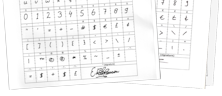
As mentioned on the home page a font costs just $9.95 plus $5.00 if you upload both template pages. So you can have a font with more than 200 characters for just $14.95. Pay for your font through PayPal and download it instantly. You will also receive a confirmation email that contains your font.
Is there a gift card or something I can give to my cousin for her to do this at her leisure?
Yes, we do have a gift certificate.
We would like to make several fonts. Is there a way where we can make one payment rather then separate payments?
Yes, this is possible if you want 10 or more fonts. Both schools and companies make use of this. We even give a discount, so do contact us and let us know the exact amount of fonts so we can provide you a custom offer.
Are the created fonts vector based?
Yes, the fonts are vector based and thus scalable without loss of quality. The file extension is .ttf, but the generated fonts are in fact OpenType fonts with TrueType based outlines that will work on Windows, Macintosh, and Linux computers.
Can I share and sell my fonts?
Yes, when you have generated and downloaded a font through our service it is your property.
What happens with information I upload to YourFonts.com in the Upload Template process?
The information is used to generate your font. We will never share personal information. If you are concerned about your privacy, please read our privacy policy or contact us.
Can I use my generated fonts in documents and share them with family, friends, and colleagues?
Yes, all fonts generated by our online service can be embedded in documents, as long as the used software (e.g. word processor, paint software) supports font embedding. See next questions for more information about embedding.
How do I include my font(s) in Word documents?
To embed fonts in your Word document, choose Options from the Tools menu and then select the Save tab. Here you need to select the Embed TrueType Fonts check box. Embedding fonts in your document will obviously increase the document's size. To save space also select the "Embed characters in use only" check box, so only the actual font characters used in your document are embedded.
How do I include my font(s) in PDF documents?
It depends on how you create your PDF document, but most PDF generators support font embedding. Please consult the documentation that came with your PDF software.
How can I use the font on my iPhone or iPad?
Since iOS 7 this is possible, but the font file needs to be converted. We are aware of several apps (iFont, AnyFont, and Fonteer) that can do this.
Can I write an email or instant message with my own font?
Yes you can, but the receiver needs to have your font installed on his/her computer. If the font is not available, it will be substituted by a similar font available on that computer.
I've just generated a font and paid for it. Where is it?
Right after your payment you will be redirected to a page on our website that offers an immediate download. At the same time we'll send an email with your font attached to it. We also have a font retrieval page that allows you to download your font within 15 days of the time you uploaded and generated the font.
Font generation failed, can you help?
We have explained the font generation process in 7 steps. Just follow the directions and it will work. If you are a computer novice, do ask a friend to help you out.
But the font didn't come out as expected, while I've followed the recommendations. How come?
So far we've generated over 500.000 fonts. The few that didn't come out right were all fixed by the user by just following the recommendations as mentioned on our website. Do ensure you upload a full template that includes the header and footer, use a black marker, and write inside the cells. It will work!
There is a large space before or after a character. How come?
Then the cell on the template probably contains an ink spot. We suggest you clean up your scanned files with an image editor program. Paint.NET on Windows does a great job of making it easy.
Thanks to this great service I'm now the proud owner of a font of my handwriting, but how do I use the signature?
Just type the caret character ^ and you'll see your signature. On most keyboards the caret is located on the same key as the number six, so you just have to hold down the Shift key, and then press the 6 on your keyboard. If nothing happens then most likely the caret is employed as a so called dead key. You then need to type the caret followed by a space.
I want a caret instead of a signature, what should I do?
Just draw a caret symbol inside the signature box.
Which languages are covered by the two templates?
The full character set contains over 200 characters and covers English, German, French, Dutch, Italian, Danish, Swedish, Norwegian, Spanish, Portuguese, Basque, Estonian, Faeroese, Frisian, Irish, Galician, Hungarian, Icelandic, Albanian, and Esperanto.
The first template page contains the space character, a signature, and the following 106 characters:
A B C D E F G H I J K L M N O P Q R S T U V W X Y Z ? ! % & a b c d e f g h i j k l m n o p q r s t u v w x y z : ; . , 0 1 2 3 4 5 6 7 8 9 + - ~ = ± # $ € £ ¢ [ ] ( ) { } < > \ / ' " * ™ @ © ® _ | • ¤ § ° ¶ † ‡
The second page contains 110 additional (mostly accented) characters:
À Á Â Ã Ä Å A Ç C C È É Ê Ë E G H Ì Í Î Ï J L N Ñ Ò Ó Ô Õ Ö O Ø S S Š Ù Ú Û Ü U U Ý Ÿ Z Z Ž à á â ã ä å a ç c c è é ê ë e ƒ g h i ì í î ï j l n ñ ò ó ô õ ö o ø s s š ù ú û ü u u ý ÿ z z ž Æ Œ Ð Þ ß æ œ ð þ µ ¿ ¡ « » ¬ ²
Do you have plans to add support for Czech, Polish, Cyrillic, Hebrew or other languages?
No, not for the short term. However it is likely we will add support for more languages in the future.
When filling out the template, does your YourFonts.com expect cursive or block printed characters?
You'll most likely get best results with block printed characters, but feel free to experiment. If you want a cursive font with swashes you'll most likely need to further improve your font with a font editor.
I'm very impressed with the generated font(s), but I want to edit a couple of characters and I also want to improve the letter spacing. How can I do that?
We suggest you use High-Logic FontCreator to make adjustments to specific glyphs.
Do you have a yourfonts discount coupon?
Sure we have. Use coupon CPN4YOURFONTS to get a 10% discount on your next yourfonts order!
More Questions?
For additional questions, please contact our team using our contact form.
Getting Started
 Print Template
 Complete Template
 Scan & Save Template
 Upload Template
 Preview Your Font
 Download
 Install & Use
Subscribe to our newsletter or follow us on Twitter. Once or twice a year we'll send you a discount coupon, so join now!
| User Quotes (view all quotes) |
“Second time I use this website to create my own font. The first time I came here (back in 2021) I wasn't sure it would really work. But what a relieve (and joy) when I saw that it really worked! The first time, I was so eager to create my own font (useless font for someone else than me haha) that I didn't take the time to do it properly, the result was imperfect, but I was glad because I could...” [more] NaiikenOctober 5, 2024 |